
Multi-Batch Attendance
Mark and track attendance per batch separately. Each class has its own record, visible to teachers and admins instantly.
Whether you run 2 batches or 20, BanYoo Tutor keeps attendance, unit tests, fees, and parent communication organized — effortlessly.
Mark and track attendance per batch separately. Each class has its own record, visible to teachers and admins instantly.
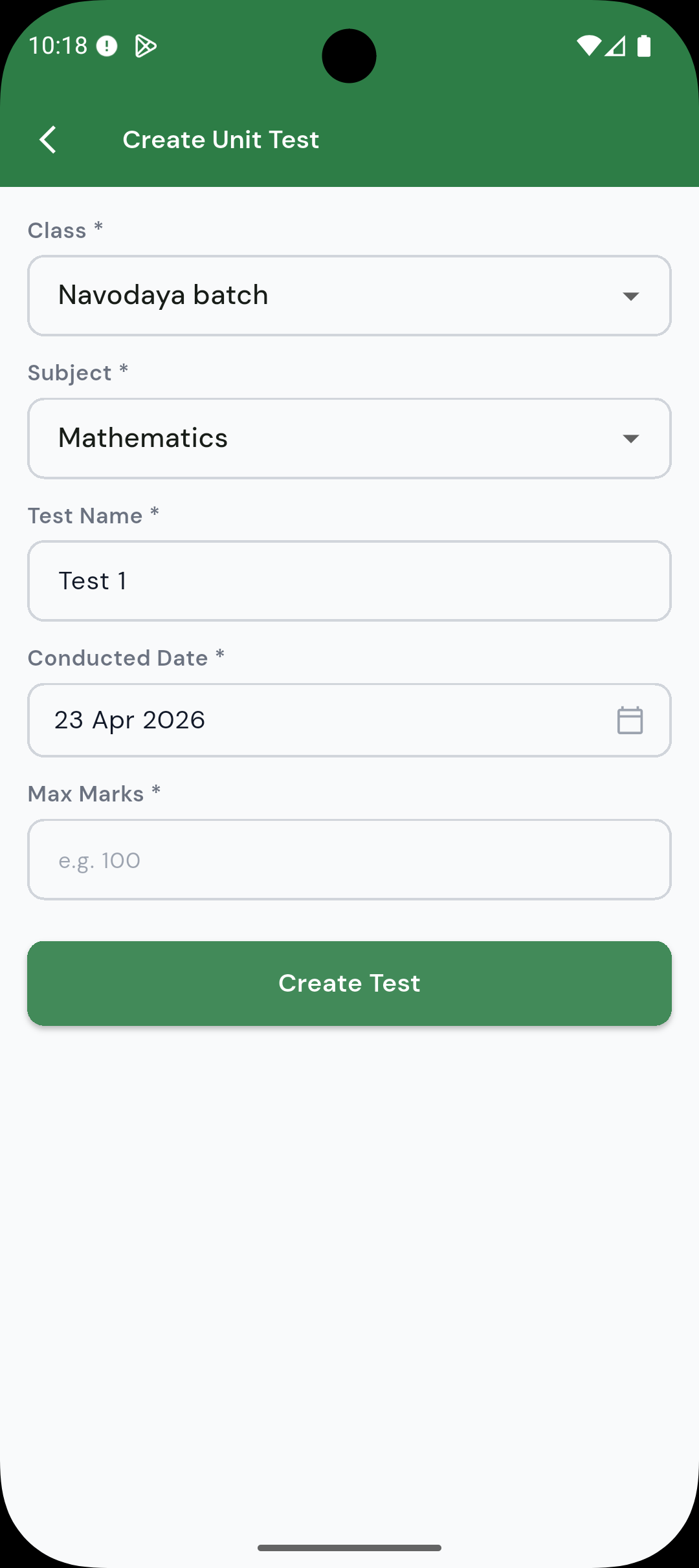
Create unit tests per batch, enter marks, and share results with students and parents — all from the teacher panel.
Configure different fee structures for different batches. Track payments and send reminders without manual effort.
Post assignments for specific batches. Students see deadlines immediately and parents receive a notification.
Keep parents informed with instant alerts for attendance, results, assignments, and fee reminders.
Send class-wide announcements for upcoming tests, schedule changes, or important dates with one tap.
Set up all batches, assign teachers, enrol students, and configure fee structures. Ready to run in one session.
Teachers mark attendance, post assignments, conduct unit tests, and enter marks — independently per batch.
Test results, attendance, and fee status are visible to students and parents the moment they are updated.
Yes. You can create unlimited batches, assign different teachers to each, and track attendance, fees, and assignments independently per batch.
Teachers create a unit test, enter marks after evaluation, and results are immediately visible to students and parents through the app. No separate communication needed.
Yes. The core workflows — attendance, unit tests, assignment tracking, fee management, and parent communication — apply directly to any exam-prep model.
Yes. Each batch or class can have its own fee structure. Student-wise fee tracking and reminders work independently per batch.
Parents receive push notifications for attendance, new assignments, test results, and announcements. They can also check the student portal anytime for the latest updates.
Free to download. 30-day free trial included — no credit card needed.
Scan to download