

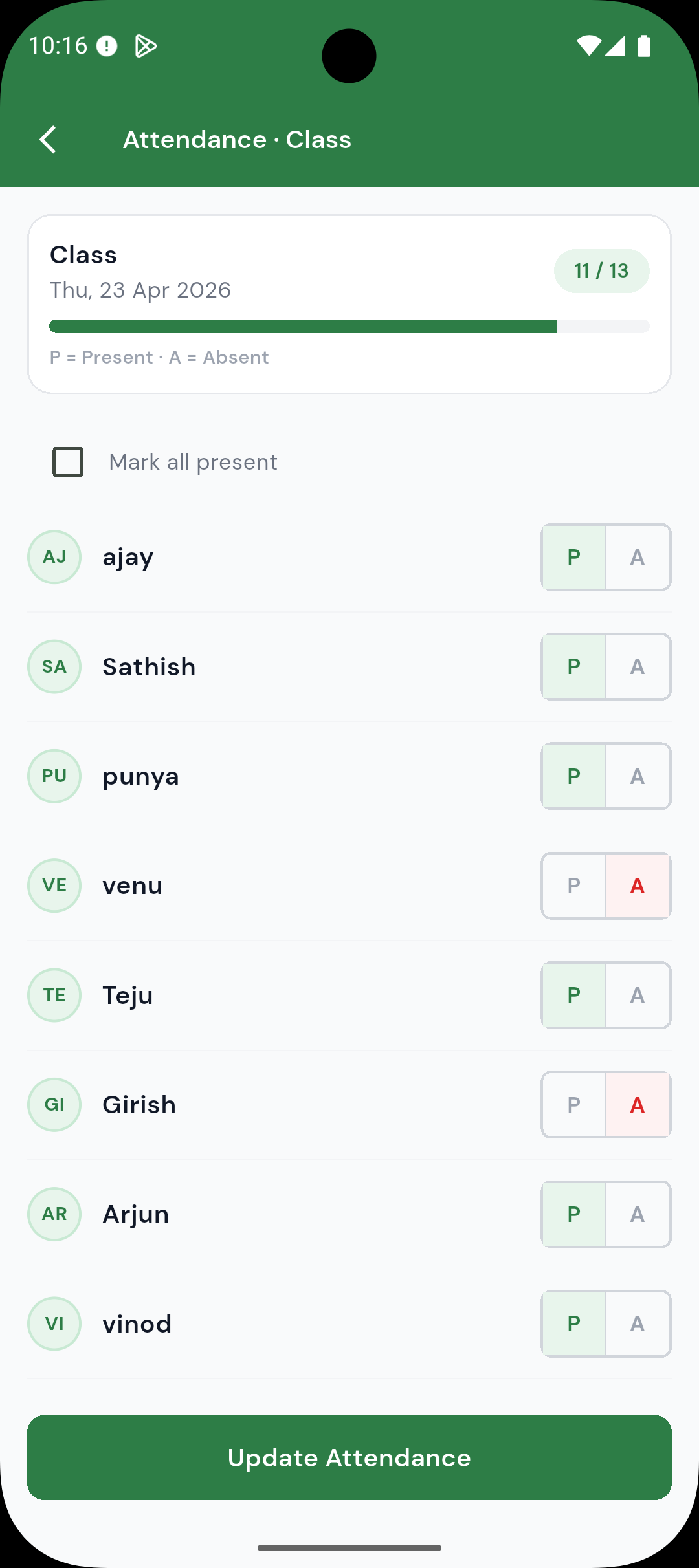
One-Tap Daily Marking
Teachers mark present or absent for each student in under a minute. Simple, fast, and reliable every day.
Teachers mark attendance digitally, admins see every class in real time, and parents are notified automatically — no registers, no paperwork.
Teachers mark present or absent for each student in under a minute. Simple, fast, and reliable every day.
Admins see attendance across all classes in real time. Spot low-attendance patterns before they become problems.
Parents receive an instant notification when their child is marked absent — no manual messages or calls needed.
Students and parents see a month-by-month attendance graph. Transparent, easy to understand, and always up to date.
Send targeted notifications to parents of frequently absent students directly from the admin panel.
All attendance data is stored securely in the cloud. Access historical records for any student, class, or time period.
At the start of class, the teacher opens the app and marks each student present or absent in under a minute.
Parents of absent students receive a push notification immediately — no delay, no manual step required.
Admins monitor class-level attendance, identify patterns, and follow up with low-attendance students.
Teachers can mark attendance for an entire class in under a minute using the quick-mark screen. Each student is shown with a present/absent toggle — no typing required.
Yes. When a teacher marks a student as absent, a notification is sent automatically to the parent — no manual communication needed.
Yes. The admin dashboard shows attendance summaries across all classes and teachers in real time. Admins can drill down to individual students or view monthly trends.
Yes. A teacher can be assigned to multiple classes. Each class has its own attendance record, and teachers switch between them seamlessly.
Attendance records are stored securely in the cloud for the full financial year. You can access historical data for any student or class at any time within that period.
Free to download. 30-day free trial included — no credit card needed.
Scan to download